

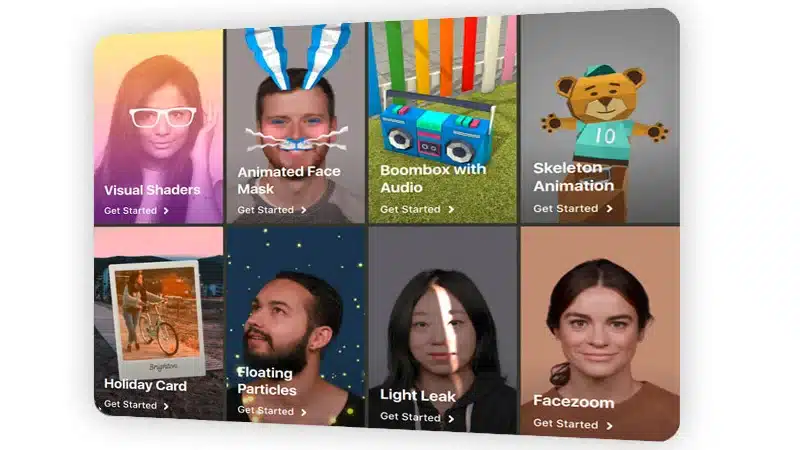
Create AR filters and boots your reach
LinkedIn
Introduction
AR filters for Instagram and TikTok have become one of the most influential and powerful formats in digital content. They are no longer just fun effects they are now a strategic tool to increase visibility, strengthen branding, generate virality, and build more connected communities. Brands, creators, and businesses are turning to augmented reality because this technology allows users not only to see the content, but to be part of it.
In 2025, AR filters continue to evolve with new features, advanced interactions, more precise facial tracking, music synchronization, hand tracking, and hyper realistic 3D effects. The question is no longer if your brand should have an AR filter, but when and how to create one strategically.
In this blog, you will learn everything you need to know about creating AR filters for Instagram and TikTok from the platforms you should use, to creative planning, designing visual and 3D elements, publishing them, and making them work as part of your digital marketing strategy. If you’re looking to boost your reach, virality, and engagement, this article is your ultimate guide.
What Are AR Filters and Why Do They Work on Social Media?
AR filters are augmented reality effects that allow digital elements to be superimposed onto the real world through a device’s camera. On Instagram and TikTok, this translates into thousands of creative possibilities: color changes, digital makeup, 3D accessories, interactive games, quizzes, random effects, facial distortions, and more.
Benefits for Your Digital Strategy
Increase interaction time: Users spend more time using your filter than viewing a regular post.
- Easily go viral: Every use becomes an implicit recommendation of your brand.
- Turn users into content creators: Your audience generates content for youcompletely free.
- Humanize the brand: They make your brand feel more fun, accessible, and modern.
- Serve as a positioning tool: Ideal for campaigns, activations, and product launches.
Tools to Create AR Filters for Instagram and TikTok
Spark AR Studio (Instagram and Facebook)
A platform ideal for face filters, 2D and 3D effects, simple games, and gesture-activated filters. It allows you to create:
- Animations
- Facial tracking
- 3D objects
- Color effects
- Image-triggered filters
Advantages:
Easy to learn
- Compatible with 3D design
- Perfect for branding
- Fast approval process
Effect House (TikTok)
A platform specialized in more dynamic and viral effects. It allows you to create:
- Interactive text
- Gesture-based games
- Music-synchronized effects
- Randomizers («What character are you?»)
Advantages:
- More oriented toward viral content
- More dynamic effects
- Creative tools for challenges
How to Create an AR Filter Step by Step
Step 1 – Define the Goal of the Filter
Before designing, decide what the purpose of your filter will be:
- Branding
- Virality
- Education
- Product launch
- Try-on
- Gamified interaction
Step 2 – Design the Visual Elements
You will need:
- 3D models (if applicable)
- Textures and PNGs
- Animations
- Sounds (especially for TikTok)
- Subtle branding (Instagram policy)
Step 3 – Develop the Filter
In Spark AR or Effect House you can:
- Import objects
- Set up face tracking
- Add interactions (blink, tap, open mouth)
- Add particles
- Use viral templates
Step 4 – Test and Publish
Both platforms let you test the effect on your phone.
Then it is submitted for review:
- Instagram: 24–72 hours
- TikTok: 24–48 hours